Portrait input — Fast

720×1280 · 9:16 · Silent MP4
Visible limitation: The portrait does not provide trousers or shoes; dark trousers and reddish shoes are invented by the model.
View exampleTemplate preview · not generated from your photo
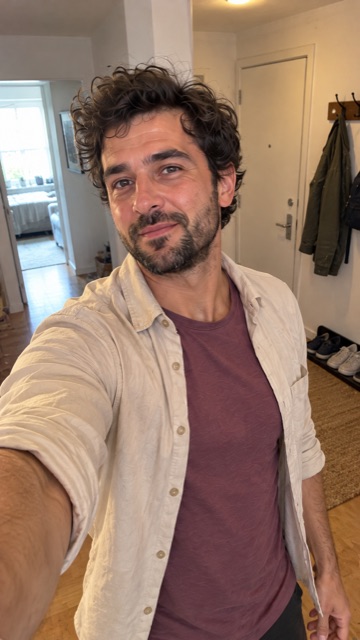
Use the Dime Dime Baby AI generator to turn one authorized photo into a dance video. Your photo supplies the lead dancer’s appearance. The reference video sets the moves and scene.
1 photo · JPG / PNG · up to 10 MB · Google sign-in and photo permission required.
Fast: 50 credits · Premium: 120 credits per video. Both target 15 s · 720p · 9:16 · silent MP4. Actual output can vary.
AI-generated adult photos and complete results, without cuts, speed changes or added music. These are editorial examples, not customer uploads, a mode comparison or a success rate.
720×1280 · 9:16 · Silent MP4
Visible limitation: The portrait does not provide trousers or shoes; dark trousers and reddish shoes are invented by the model.
View exampleSign in, add one authorized photo, choose Fast or Premium and review its cost. Track your Dime Dime Baby AI video in Recent Tasks, then preview and download it. The full guide covers file checks, queueing, failed tasks, storage and deletion.
Read the complete photo-to-dance tutorialFor a Dime Dime Baby AI video, use a JPG or PNG within the displayed limits. Choose a photo where the dancer’s face is easy to see. These are quality suggestions, not additional face-detection rejection rules.
Full file requirements and photo adviceA Free account does not include generation credits. Generating a video requires enough credits for the selected mode.
Current dance: Dime Dime Baby. Both modes use this dance.
Both modes target 15 seconds · 9:16 · 720p. Silent MP4; no music included. Actual dimensions and duration can vary.
Google sign-in is required. Review the cost before submitting a video.
Choose a one-time Credit Pack with no subscription.
Each count assumes all listed credits are spent on one mode. Fast and Premium counts cannot be added together. Leftover credits remain in your balance until they expire.
Credit Pack credits last 365 days. A pack is a one-time purchase and does not change your plan or storage benefits.
Fast only: 1Premium only: 0
Fast only: 2Premium only: 1
Fast only: 5Premium only: 2
Fast only: 10Premium only: 4
Fast only: 14Premium only: 6
Fast only: 19Premium only: 7
Uploads and results are not automatically published. Necessary media is processed by third-party services. Use My Creations to manage saved videos and Account for account deletion.
Creation expiry is calculated from task acceptance. Plan changes can update expiry, and exceeding your creation limit can remove older creations. Download videos you want to keep. Deletion queues private-media cleanup; it does not instantly erase every provider copy or files you already downloaded.
Faces, hands, clothing and body details can vary. We have not verified that every Fast and Premium result is watermark-free. Preview your result before sharing it.
The current video is silent and does not include the original BbY WOW song or a music license. Add only audio you have permission to use, and share the downloaded MP4 yourself. Commercial use still depends on photo, likeness, provider, reference and other third-party rights.
AIDanceVideo is not affiliated with or endorsed by the original creators, BbY WOW, TikTok or CapCut. This is an AI recreation, not the original clip.
It supplies the lead dancer’s appearance cues. Faces, hair and clothing can change across frames; no perfect likeness or outfit match is guaranteed.
This workflow uses one fixed Dime Dime Baby reference. Its moves, banquet setting, background people and camera sequence are not editable, and you cannot upload your own reference video.
Fast and Premium are generation modes for the same dance and target format. Check their current credit costs in the generator; their names do not guarantee speed or a particular result.
No. The current result is a silent MP4. It does not include the original song or a music license. Add only audio you have permission to use in your own editor after downloading.
Google sign-in is required to generate. A Free account does not include generation credits; you need enough credits for the selected mode.
The Dime Dime Baby AI generator shows the requested duration, resolution and aspect ratio. Actual outputs can differ. Our example pages show the measured duration and dimensions for each complete result.
No. The sample review found no obvious added watermark in inspected frames, but it does not establish that every frame or every future result is watermark-free.
This is an independent AI recreation, not the original clip or an endorsement by its creators, BbY WOW, TikTok or CapCut. Uploads and results are not automatically published; necessary media is processed by third-party services.
Eligible failed, rejected or timed-out tasks return the credits charged. Cancellation is available only before provider submission. This credit return is separate from a payment refund; technical success is not refundable merely because you dislike the style.
Review the current mode, cost and permission before generating from your own photo.
Back to the generator